3D CAD for Windows
SelviCADFrom design to production.
Parts, assemblies, technical drawings, sheet metal, weldments, strength analysis and laser flat patterns in one program. Simple, and it works offline.
Request a trial key Try the assistant
Windows 10 / 11 · Turkish interface, English UI coming soon · 30-day free trial · 250 $ + VAT / year
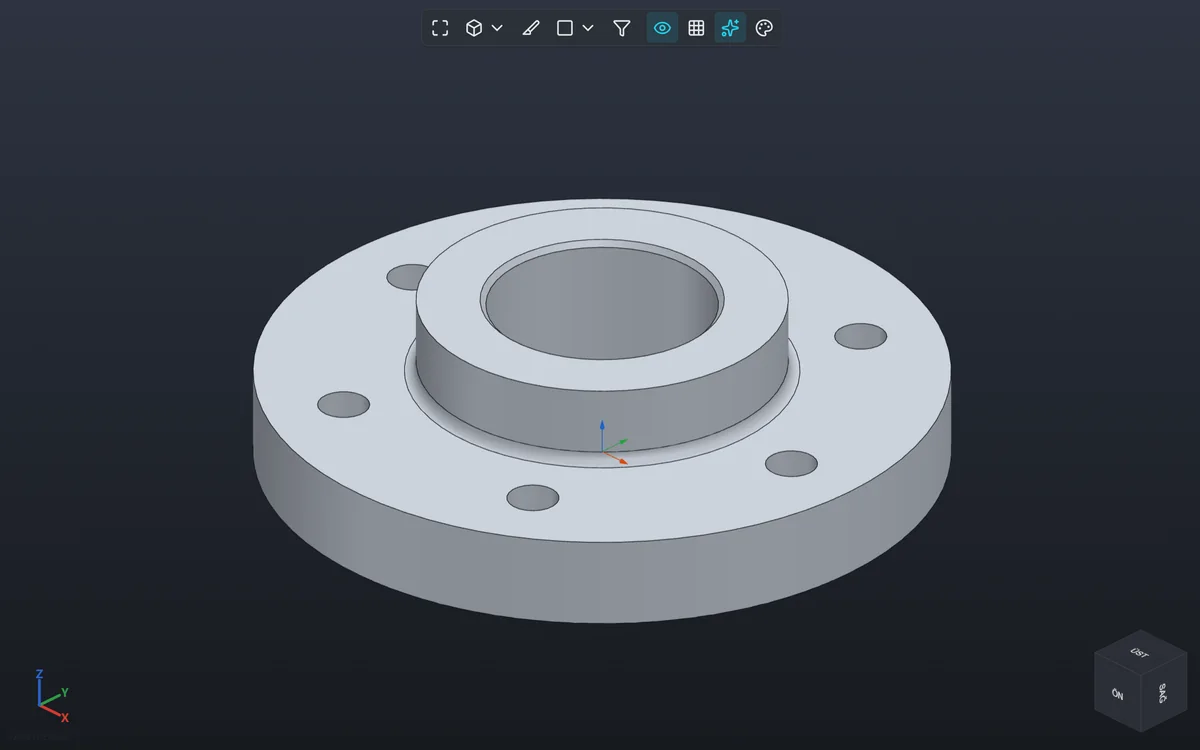
Every step to production,
in one program.
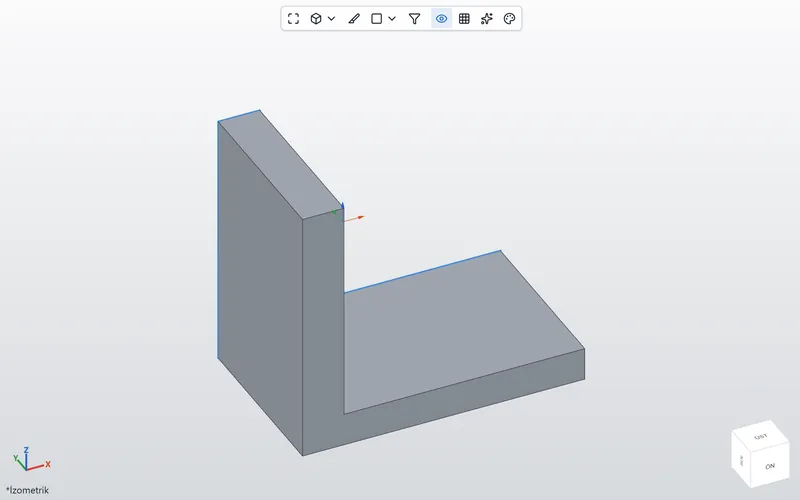 Parametric partsSketches, dimensions, feature tree
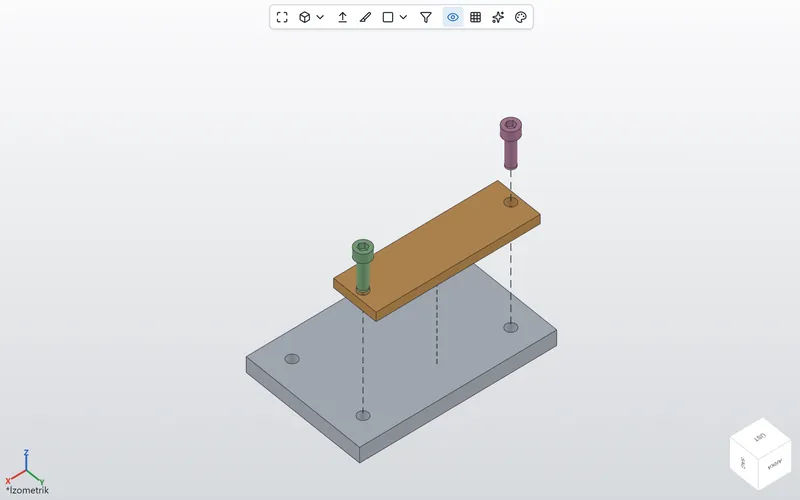 AssembliesMates, exploded views, bill of materials
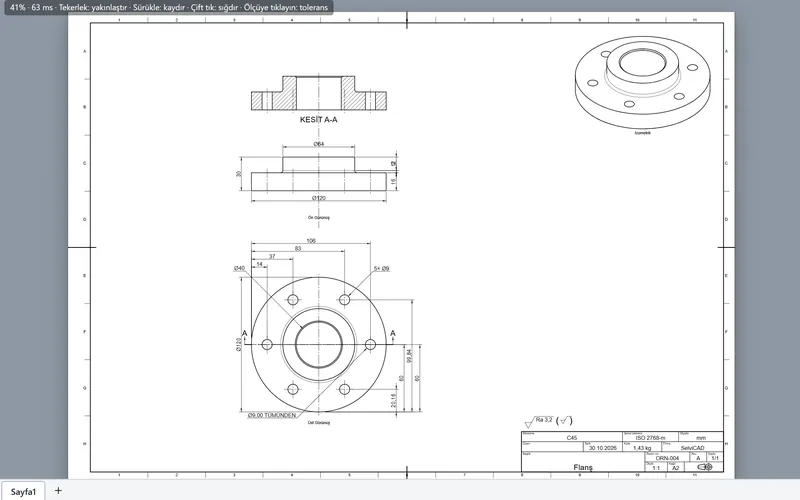 Technical drawingsViews, dimensions, sections; PDF and DXF
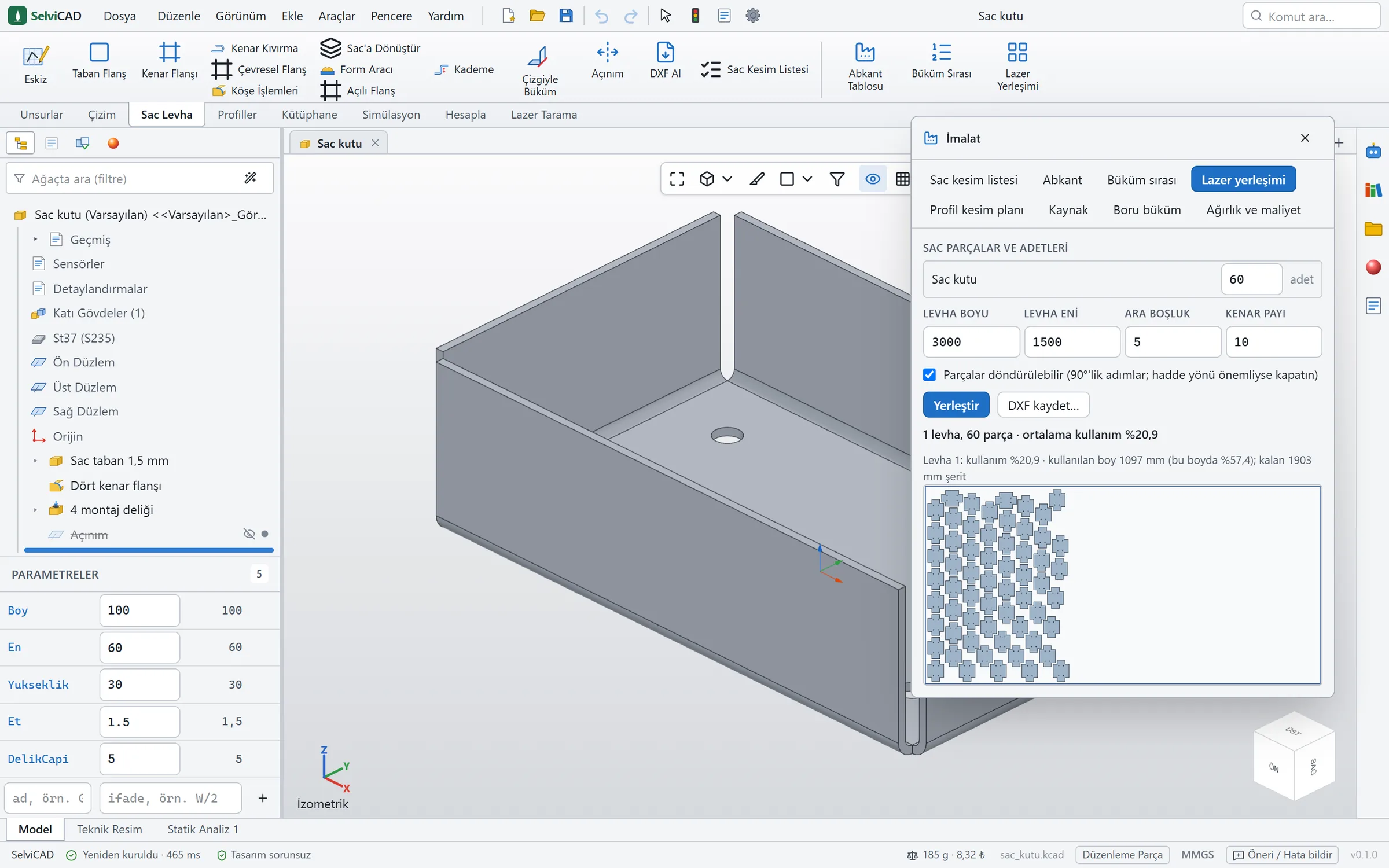
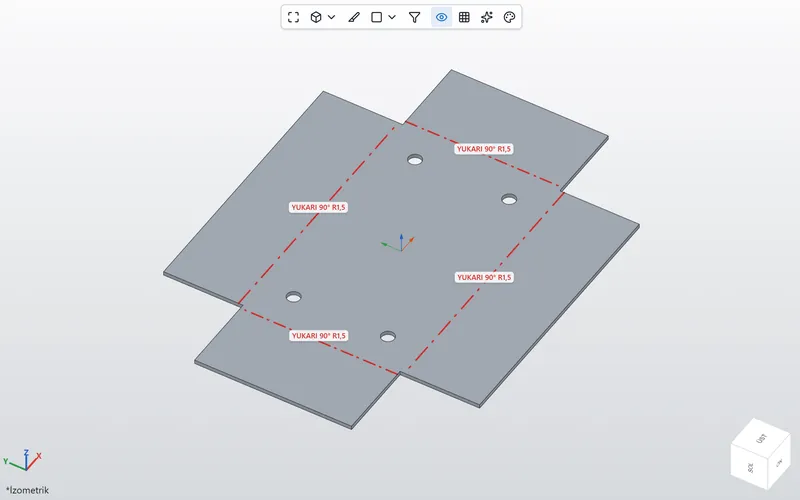 Sheet metalFlat pattern, bend order, DXF
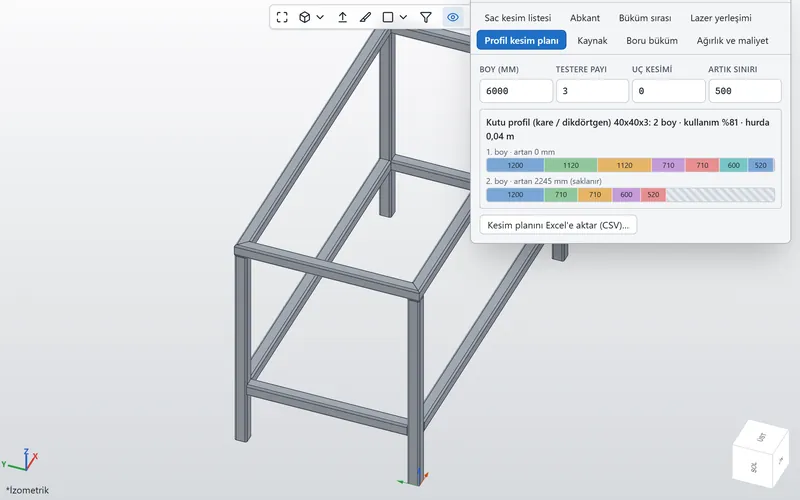 WeldmentsProfiles, cut list, cutting plan
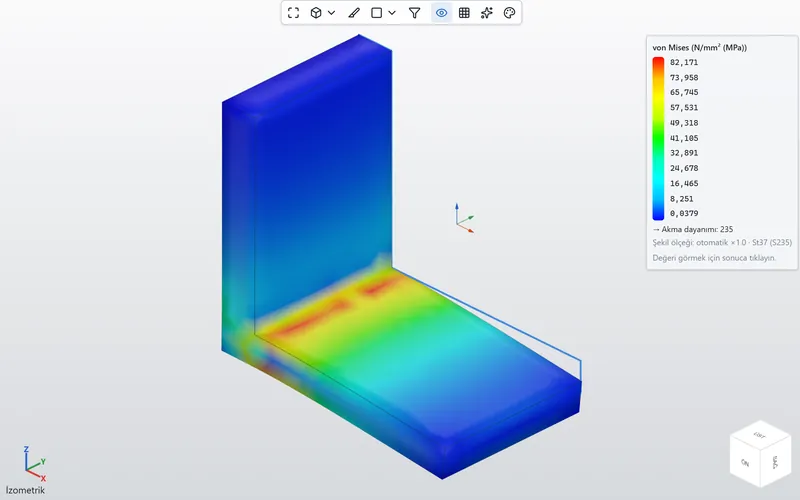 Strength analysisStress, vibration, buckling
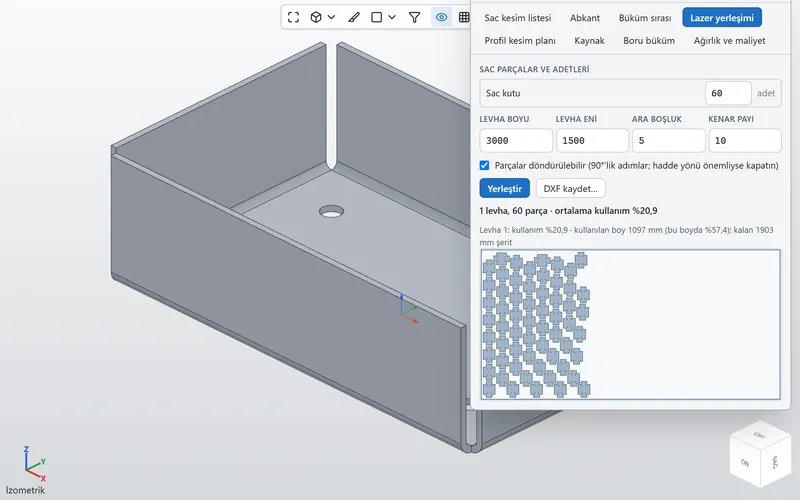 Laser and CNC outputNesting, tube flat patterns, STEP
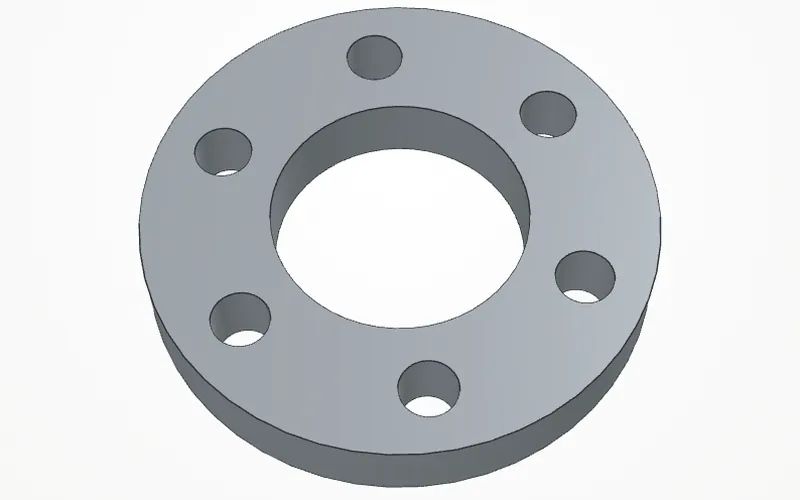 AI assistantDescribe it, and the model gets built
Parts and assemblies
Change a dimension,
the part follows.
Sketch, extrude, revolve, sweep, loft, fillet, shell and a hole wizard. In assemblies: mates, exploded views and a bill of materials with prices.
Technical drawings
Technical drawings
in one click.
Views, dimensions, hole callouts, sections and the title block are placed for you. A4 to A0; PDF and DXF.
Sheet metal
The flat pattern is ready.
Flanges, bends and jogs. The flat state is calculated with the K-factor; bend lines and notes go to their own DXF layer.
- DXFFlat pattern straight to the laser.
- Press brakeBend table and bend order.
- NestingParts laid out on the sheet with little scrap.
- WarningsFlags holes too close to a bend.
Weldments
No more cut lists
by hand.
Place profiles along sketch lines; the mitres are cut for you. The cut list and a cutting plan for 6 m bars are ready.
- Cut listLength, angle, quantity, mass; to Excel.
- Cutting planPer bar, with saw kerf.
- TubesLaser flat pattern, fish-mouth cope.
- WeldingWeld symbols, beam calculation.
Strength analysis
Apply the load,
see where it strains.
Stress, vibration, buckling, fatigue and thermal analysis. Results appear as colours on the model.
Results are estimates. They depend on the mesh, material data and boundary conditions. For load-bearing or safety-critical parts, have the result checked by an engineer.
Laser, CNC and 3D printing
The file for the shop floor
is ready.
- DXFSheet metal flat patternCut lines, holes, bend notes.
- DXFLaser tube flat patternFlattened tube with fish-mouth cope.
- DXFNestingParts on the sheet, in one file.
- CSVCut list and planLength, angle, quantity, cutting order.
- PDFTechnical drawingViews, dimensions, sections; DXF too.
- STEPCNC and other programsSTEP, IGES, STL, 3MF, OBJ, GLB.
- 3MF3D printerPrint check, send to the slicer.
- ₺Mass and costWith your own price per kg and labour rates.
AI assistant
Describe it,
the model gets built.
Write what you need; the assistant builds the sketch, dimensions and features step by step. It shows each change first and applies it when you approve.
Tap a request
Drag to rotateSample recording: the models were built in advance with SelviCAD's own geometry kernel; no AI runs on this page. Requests and steps are translated here.
The assistant is a helper and is not always right; check the result. It is optional, needs an internet connection and runs on the AI service you choose; that service's terms and fees are separate. Like the rest of the program, its interface is in Turkish today.
Why SelviCAD?
Everything you need,
in one license.
- TurkishThroughout, for nowMenus, warnings, help and examples are in Turkish. English UI coming soon.
- OfflineRuns on your computerNo connection needed while you draw; your files stay with you.
- AnalysisIncluded, no add-onStrength, vibration, buckling, fatigue, thermal.
- DrawingsIn one clickViews, dimensions, sections and title block; PDF and DXF.
- Sheet & weldShop-floor tools includedFlat patterns, cut lists, cutting plans, laser DXF.
- 250 $One pricePer year, excluding VAT; paid in Turkish lira.
Who is it for?
From the workshop
to the design desk.
- Workshops and fabrication Sheet metal flat patterns, cut lists, cutting plans, laser DXF and drawings from the same model.
- Design and engineering Parametric parts, assemblies, strength analysis. A familiar workflow if you are switching from SolidWorks or Fusion; bring your parts over as STEP.
- Education Learn 3D design step by step with the built-in “My first part” tutorial (in Turkish).
- Hobby and 3D printing Draw to size, export STL or 3MF, send it to your slicer.
Short videos.
Recorded from the program's own screen (Turkish interface); no sound.
System requirements.
- Operating system
- Windows 10 or 11, 64-bit. No administrator password needed.
- Memory
- 8 GB recommended; more for large assemblies.
- Disk
- About 1 GB free; the download is about 270 MB.
- Display
- 1366×768 or higher; an ordinary graphics card is enough.
- Internet
- For the license at first sign-in, then at least once every 14 days.
- Mouse
- A mouse with a middle button is recommended.
- Language
- The interface is in Turkish today; English UI coming soon.
Price
One price.
Every feature.
Yearly license
250 $ + VAT / year
Payment is taken in Turkish lira.
For one computer. Write to us for more computers.
- Parts, assemblies, drawings, sheet metal, weldments, analysis: all included
- New versions for as long as your license runs
- Help with installation and use
- Your parts are never deleted, even if the license expires
Try it free for 30 days.
Fill in the form and we will send you a trial key and a personal download link. Every feature is included, and the 30 days start on the day you first enter the key.
Frequently asked questions.
Is the program in English?
Not yet. The interface, help and examples are in Turkish today; an English interface is coming. This site and the guides are in English so you can see what SelviCAD does before then.
How does the trial work?
The trial is not a public download: you fill in the form at the bottom of the page, and we send you a 30-day key and a personal download link. The 30 days start on the day you first enter the key, and the program shows how many days are left. Every feature is included.
How do I buy?
Choose “Purchase” in the form at the bottom of the page and send it; we will reply with payment and invoice details. Once payment arrives, your key is turned into a yearly license; you do not need to reinstall.
I use SolidWorks or Fusion. Will it be hard to switch?
The concepts you know are here too: feature tree, sketches and dimensions, extrusions, assembly mates and technical drawings. SelviCAD does not open those programs' own files; export your parts as STEP and open them in SelviCAD. For shortcuts and matching commands, see the switching guide.
Do I need an internet connection?
Not for drawing, calculating or exporting. The license needs a short connection at first sign-in, then at least once every 14 days. The AI assistant and voice typing need the internet.
Which files can I open and save?
Export: STEP, IGES, STL, 3MF, OBJ, GLB, DXF and PDF. Import: STEP, IGES and STL. STEP files from other programs open.
Can I trust the analysis results?
Analysis is for comparing designs and spotting weak points early; results are estimates and depend on the mesh, material data and boundary conditions. For load-bearing or safety-critical parts, have the result checked by an engineer.
How do I send a flat pattern to the laser shop?
Press Flatten and save it as DXF. DXF opens in most laser and CNC programs; bend lines and notes come on separate layers. Details: sheet metal flat pattern guide.
In which formats do I get the technical drawing?
PDF and DXF. Paper sizes from A4 to A0, automatic or chosen scale; for weldments, the cut list table and part numbers are included. Step by step: technical drawing guide.
Where are my files stored?
On your own computer, in the Documents\SelviCAD folder. The program does not upload your parts anywhere. If you use the AI assistant, your request and an image of the model go to the AI service you chose.
Is my computer good enough?
An ordinary Windows 10 or 11 computer from the last ten years is enough: 8 GB of memory is recommended, and about 1 GB of free disk space is needed.
How do updates arrive?
New versions arrive from inside the program and are free while your yearly license runs.
On how many computers can I use it? Can I move it?
One license is for one computer. When you move to a new computer, write to us through the form; we release the old computer from the license and activate the new one.
What happens to my drawings when the license expires?
Your parts are not deleted; they stay on your computer. When you renew the license, you carry on where you left off.
Can I 3D print my parts?
Yes. Export the part as STL or 3MF; the program checks it for printing and can send the file to your slicer. For a first part, see the keychain guide.
I have never drawn in 3D. Can I use it?
Yes. On first launch, the “My first part” tutorial walks you through a part in seven steps; you can also start from the six ready examples under File → Examples. The tutorial is in Turkish today.
Does it run on Mac or Linux?
For now it runs only on Windows 10 and 11 (64-bit).
Guides
Step-by-step
guides.
- SHEETSheet metal flat patternsK-factor, bend table and the DXF for the laser shop.Read the guide
- PDFTechnical drawings in one clickViews, dimensions, sections and title block; saving as PDF or DXF.Read the guide
- STEPSwitching from SolidWorksShortcut table, matching commands and moving parts over with STEP.Read the guide
- 3MFA first part for your 3D printerKeychain template, print check and sending to the slicer.Read the guide
Trial key
Try it free for 30 days.
Fill in the form and we will send you a trial key and a personal download link. Use the same form to buy or to ask a question.
Thank you.
Your request has been received. We will get back to you as soon as possible.